Generate a complete book or movie
Review a page plan and credit quote, then generate the selected illustrations and videos in the background.
Studio PlusStudio Motion
From a reviewed plan to a complete draft
Whole-book generation is available in the current beta for eligible projects and accounts. Studio Plus can generate page illustrations; Studio Motion adds video clips for a movie. Start from a reviewed AI plan, choose the pages and options, and check the credit quote before starting.
Let the run continue in the background
The server works through the planned pages and the app shows progress. Closing the app does not cancel an accepted run. Completed results are attached to the selected pages when the app receives them.
A run can produce partial results. Completed work remains available if another page fails or you stop the remaining work. Review the run’s status before starting again so you can recover or retry the unfinished pages.
Review and refine
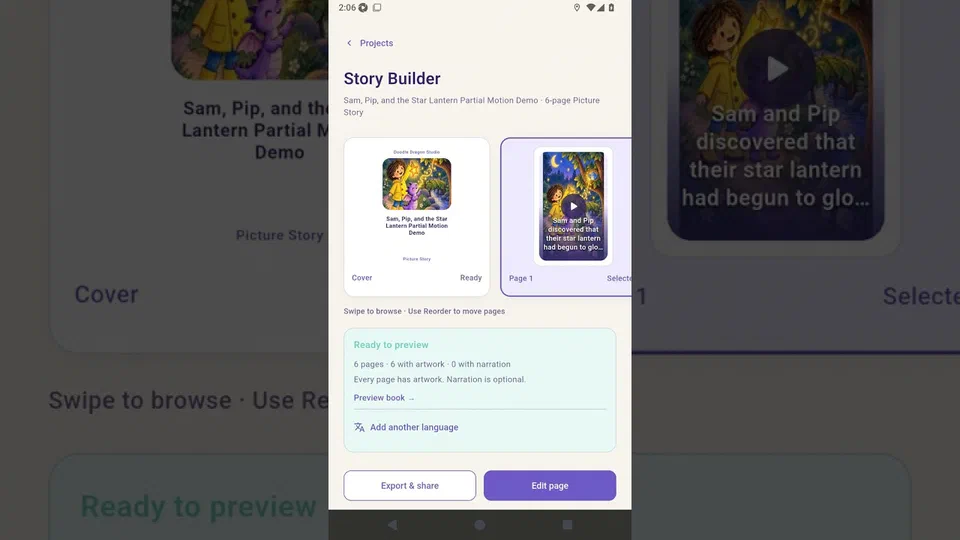
Check character appearance, composition, speaker assignment, speech, and the transitions between pages. The app does not yet automatically verify that every image matches its scene plan. Replace an individual picture or clip when needed, then export the reviewed book as PDF or MP4.
 ▶ Load video