Plan a movie with AI
Turn an outline and a child's sketch into an editable shot plan with motion, camera, transitions, voices, and sound for every scene.
Studio Motion Studio Motion only
1. Describe the movie
Create a Picture Story, choose Big picture for the layout, and switch from Start blank to Plan with AI. Give it a title and a short premise. Include the characters’ names and roles, what happens, and who says each line.
For example: “Robert is the dad, in a blue shirt. Leo is his young son, in a green T-shirt. Make a funny conversation about bedtime. Keep Robert’s voice calm and Leo’s curious. Use one speaker at a time.”
2. Attach a story anchor
Expand Story anchor, choose a picture, and review the visible details the app finds. The reviewed sketch guides the recurring visual details, so the same characters appear in every clip.
Watch: plan a Motion story from a child’s sketch
3. Choose the voice, language, and clip length
Choose a reader age, 6, 10, or 14 pages, and a feel. Then choose the voice plan: character dialogue, an off-screen narrator, a mix, narration added later, or no spoken voice. See voices in the video. Choose the spoken language and 5- or 10-second clips. A short line with a pause works better than a conversation squeezed into one clip.
4. Review every scene
Generate the plan and open each page. Check the story text, artwork idea, video motion, camera direction, transition, and intended end frame. Open Voice in this clip to check who speaks and the exact words, and choose generated ambience or a silent background.
Names alone do not tell the model who is speaking: describe the visible speaker and make sure their face can be seen in the scene.
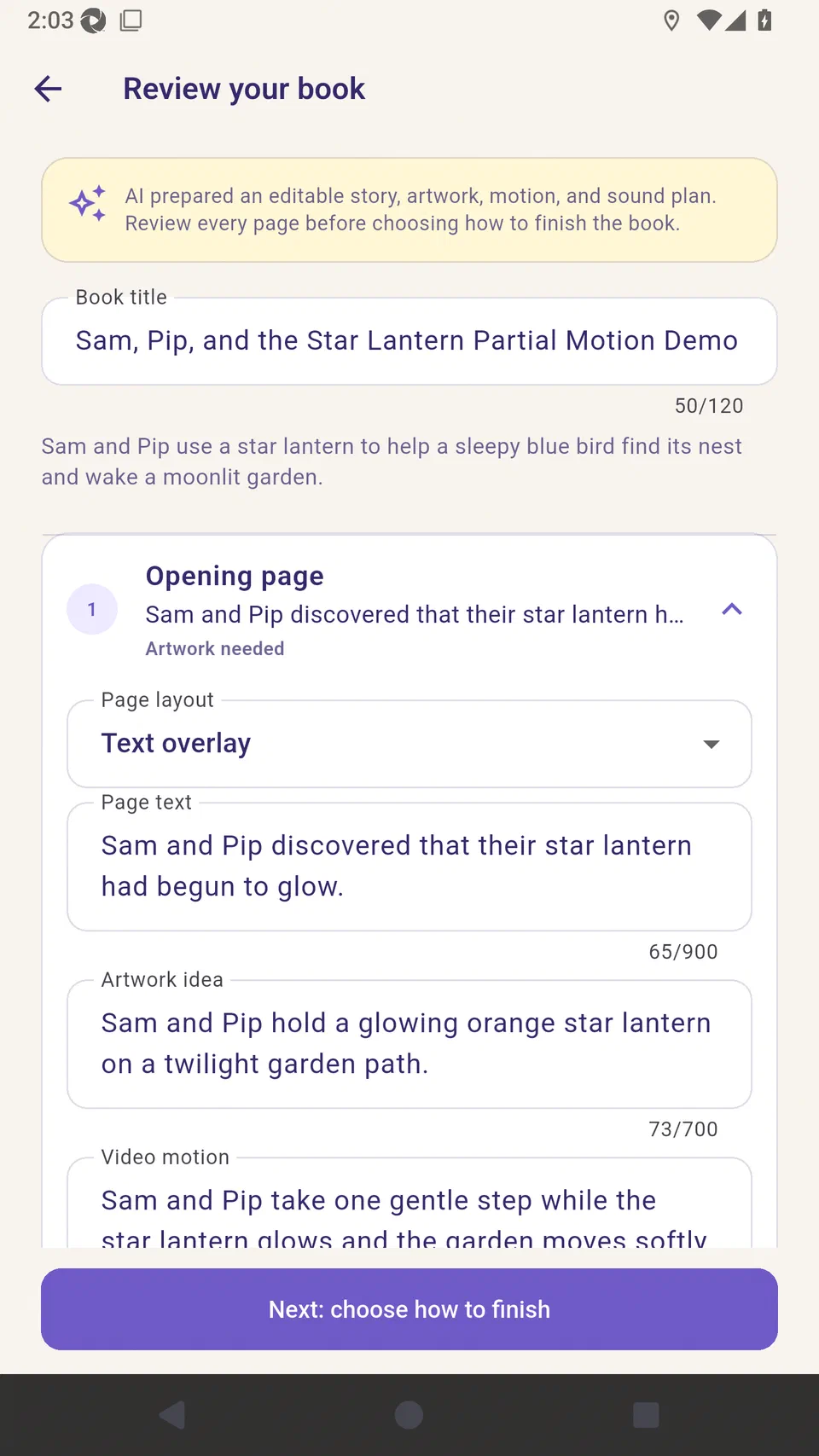
Watch: review motion and sound for every page
5. Save the draft and generate
Planning costs 5 credits. Pictures and clips are charged when you generate them, and the quote appears first. Generate the whole video book in one run, or direct single pages. Editing the plan is free.
Watch the Studio Motion walkthrough
Tutorial screens may differ from the latest beta.