Studio Motion tutorial · Chapter 7 of 12
Choose a page-video starting mode
Open Motion from the page editor and compare supported frame modes and sources.
Studio Motion Studio Motion only
Before you start
- Open the generated movie in Story Builder.
Step by step
Open page one, choose Media, and select Create AI video under Studio Motion.
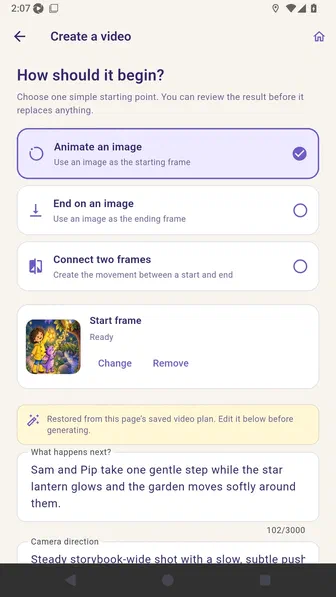
Review the supported starting modes; unsupported modes are hidden for the selected quality.
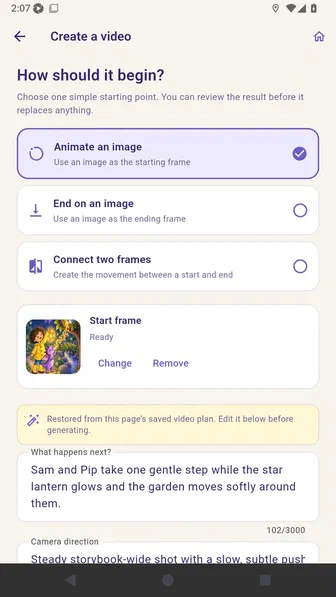
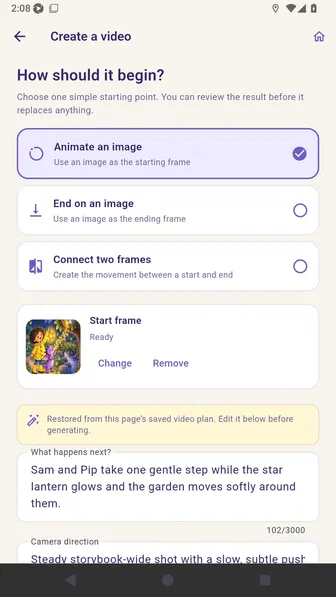
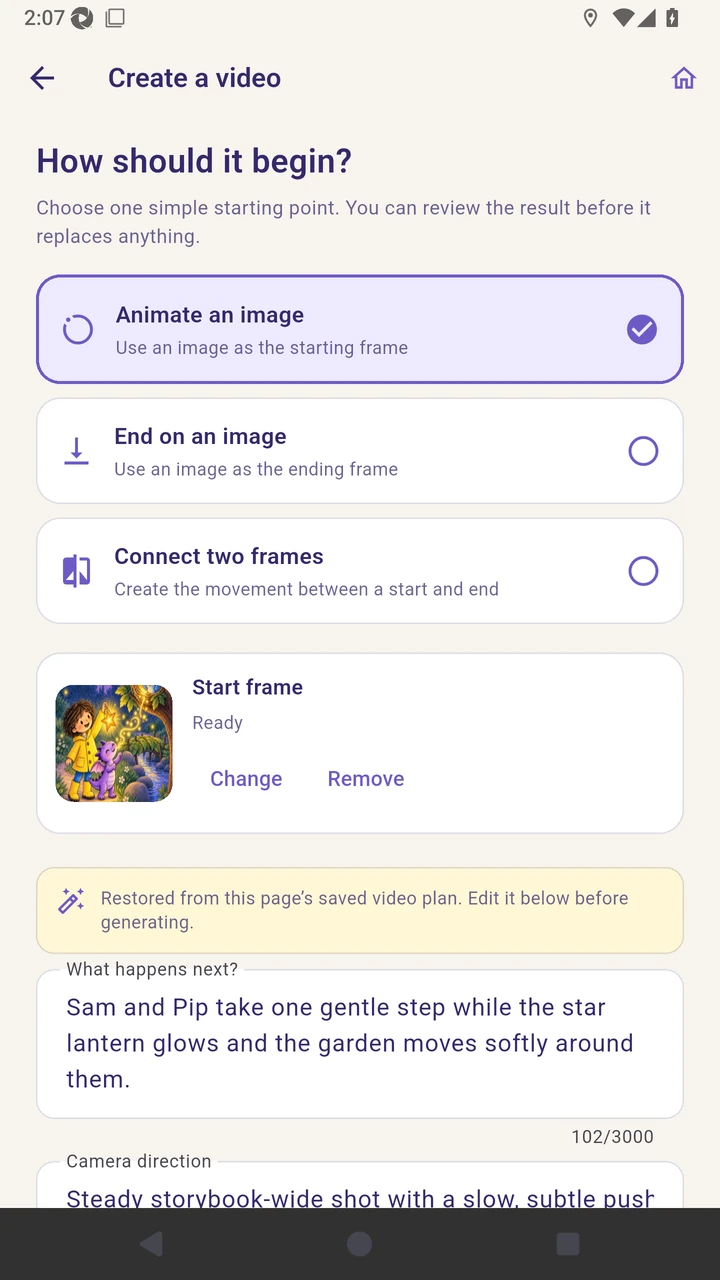
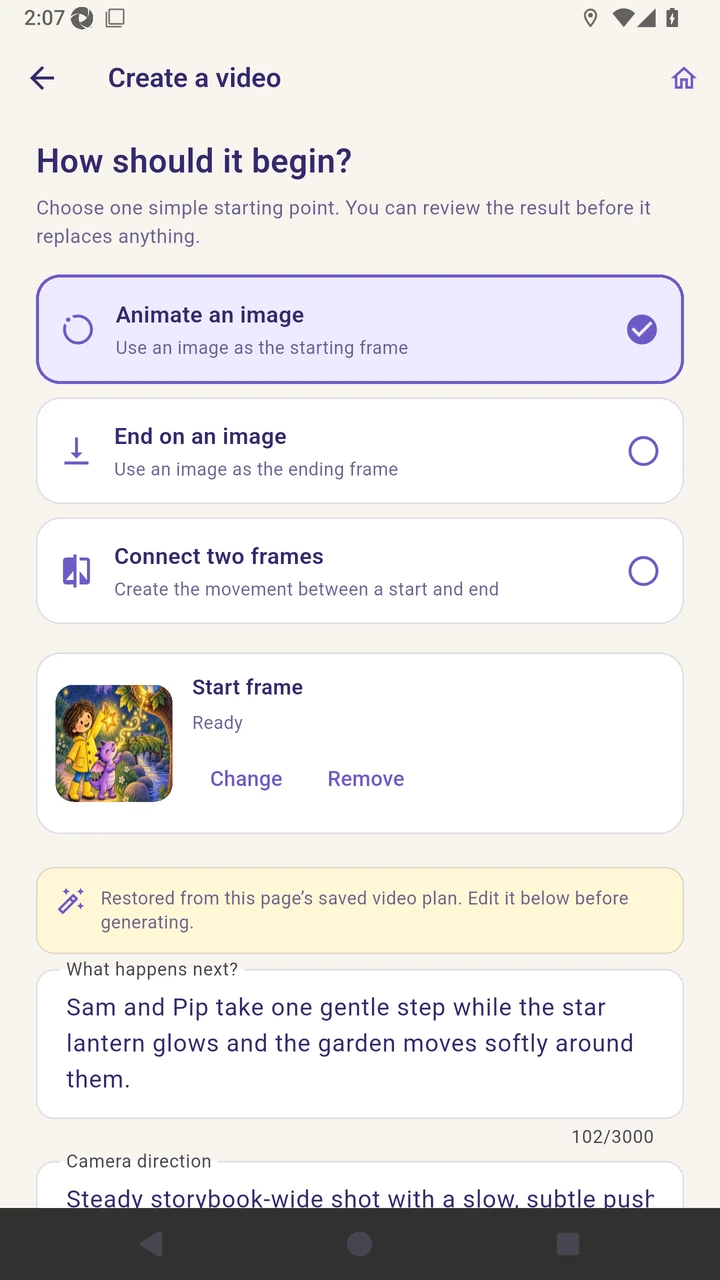
Choose Animate an image to use a starting frame.
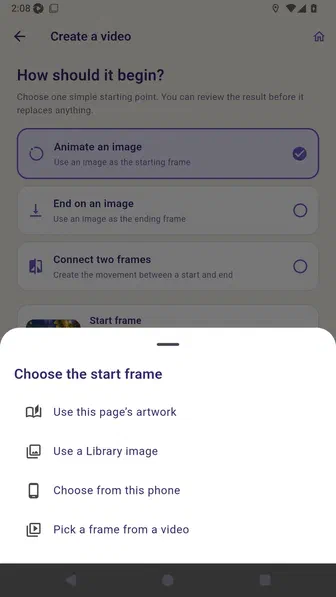
Open the start-frame chooser and compare page artwork with Library, phone, and video-frame sources.
Choose End on an image to guide the final frame, including the next page’s artwork or generated opening frame when available.
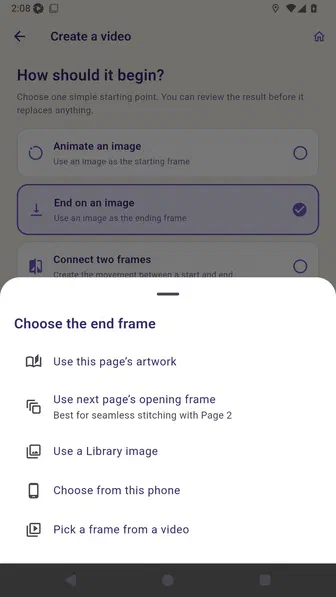
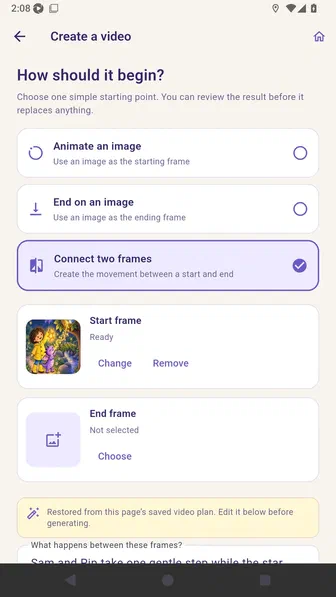
Choose Connect two frames to guide both the opening and ending composition.
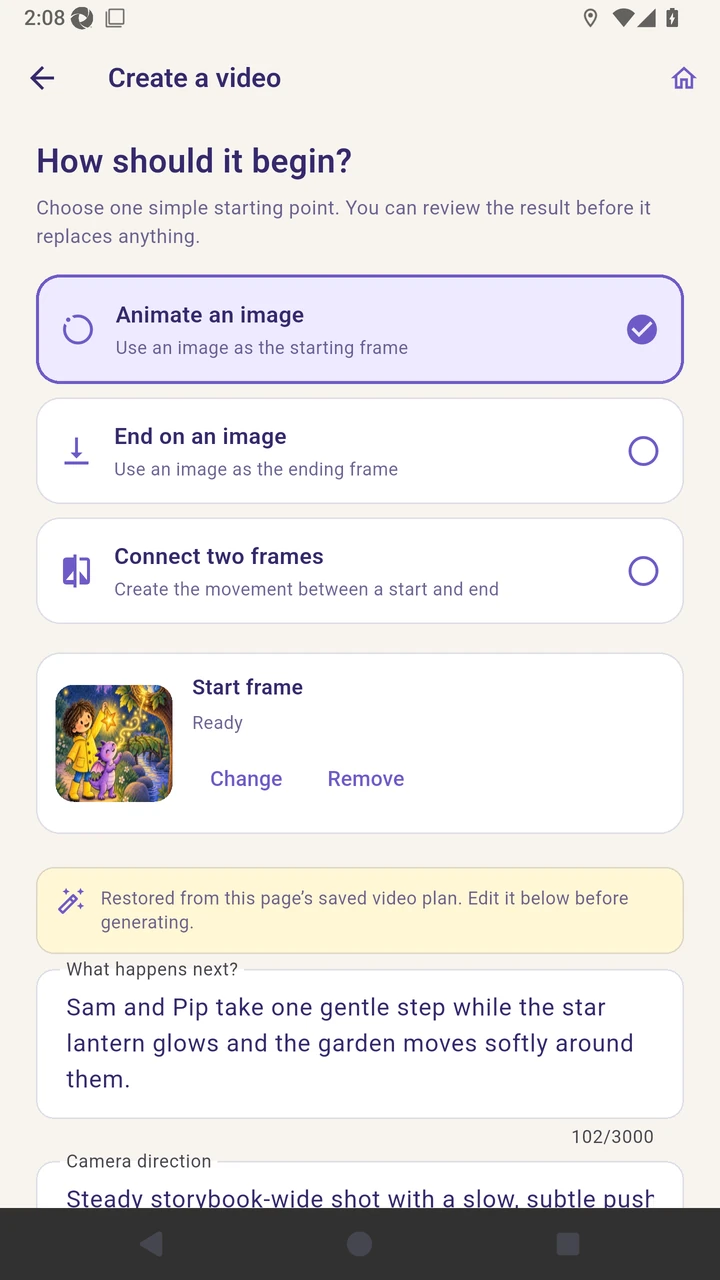
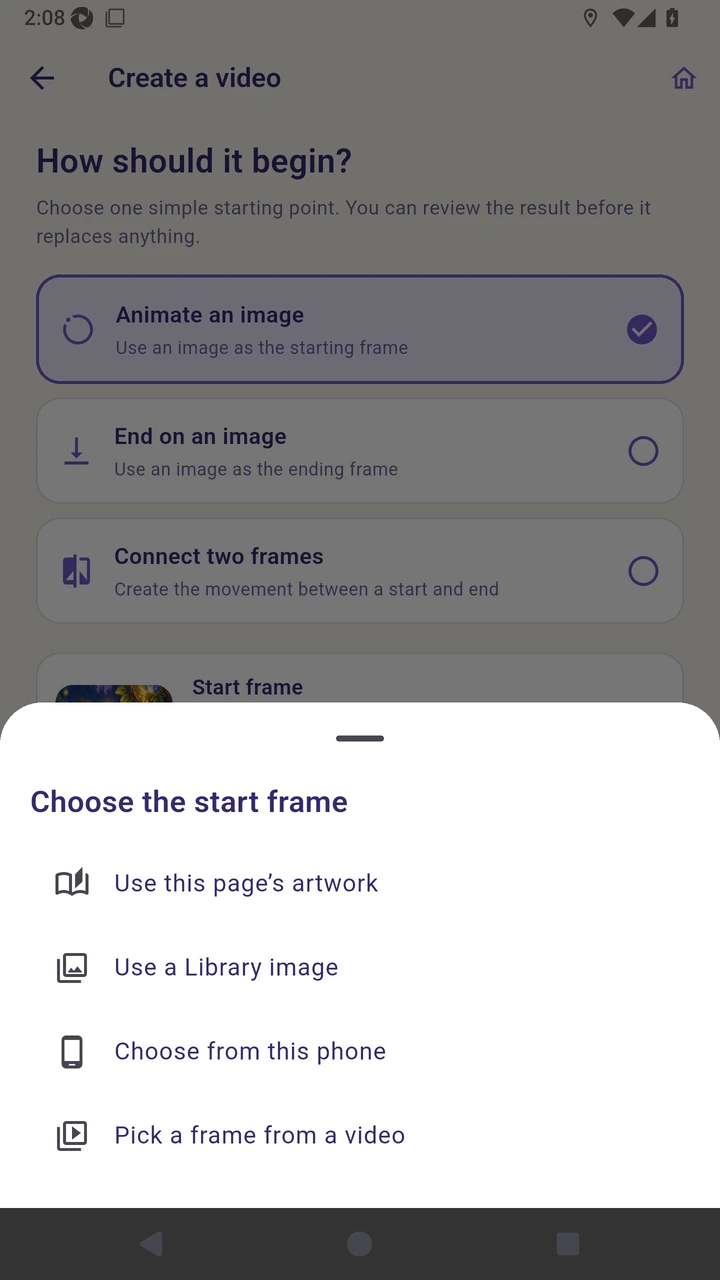
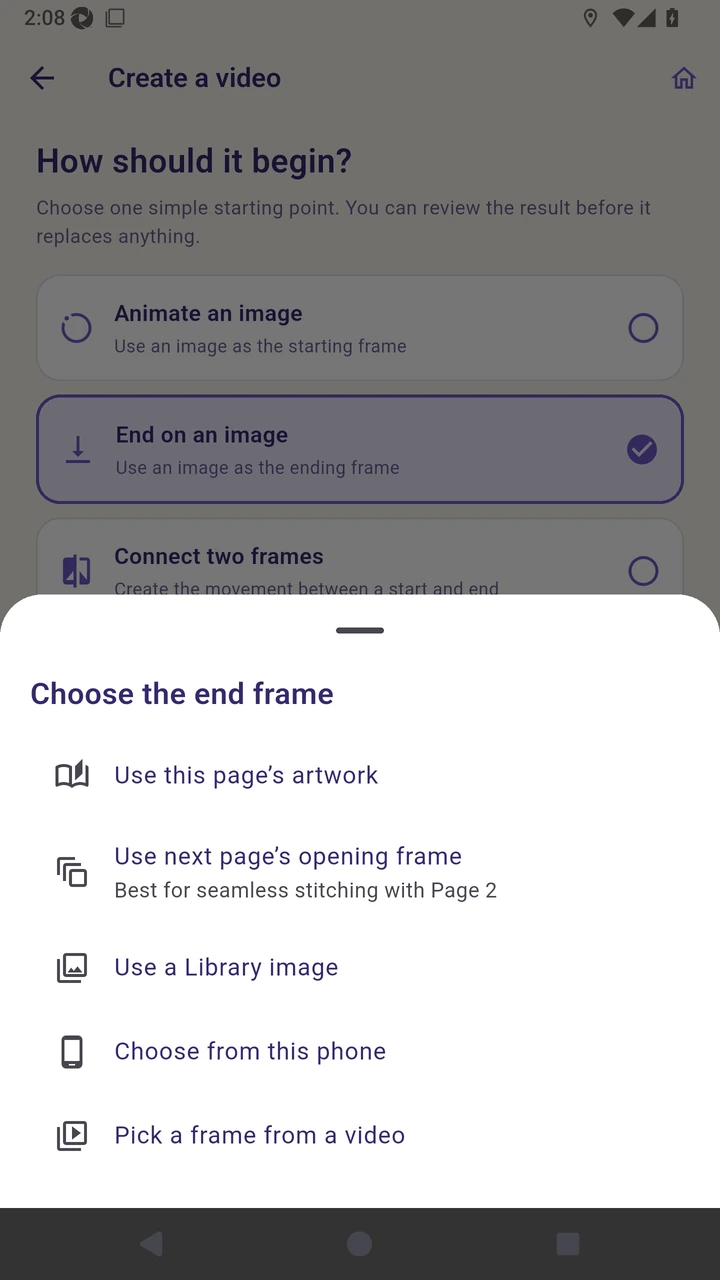
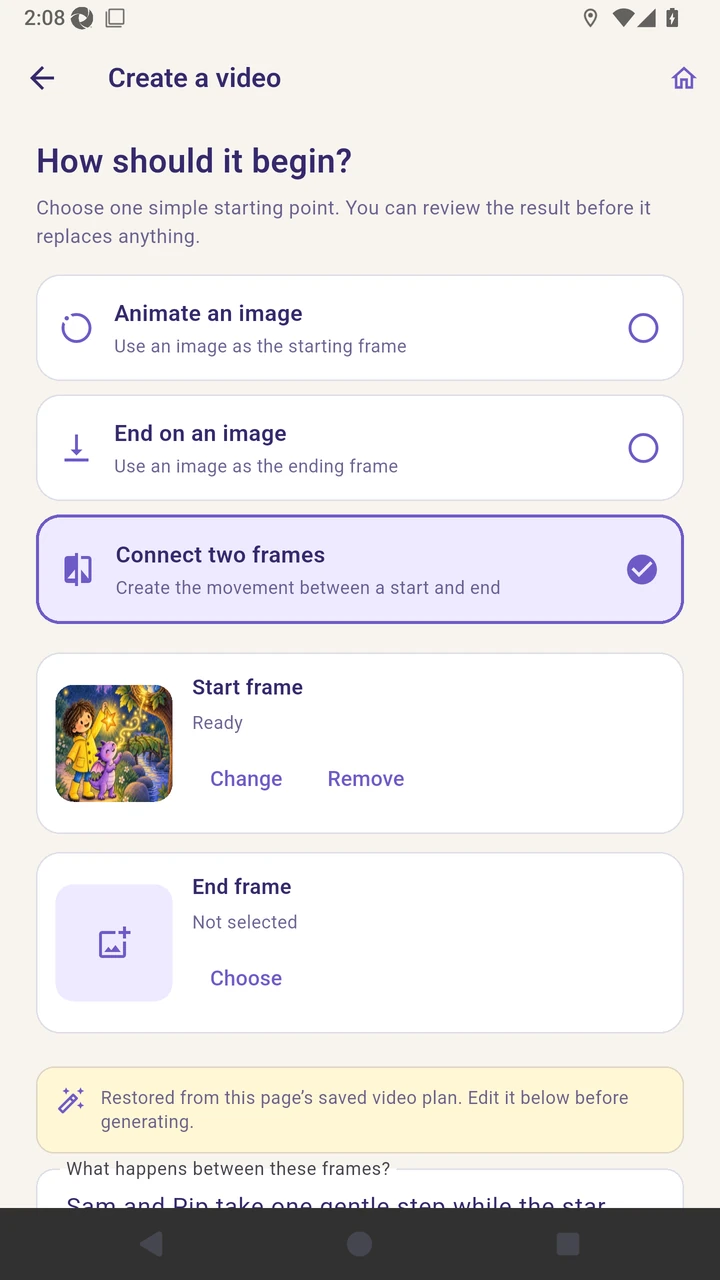
Result. The user understands every starting mode and frame source exposed by the selected video quality.
Read the narration transcript
Open page one, choose Media, and select Create AI video under Studio Motion. Review the supported starting modes; unsupported modes are hidden for the selected quality. Choose Animate an image to use a starting frame. Open the start-frame chooser and compare page artwork with Library, phone, and video-frame sources. Choose End on an image to guide the final frame, including the next page’s artwork or generated opening frame when available. Choose Connect two frames to guide both the opening and ending composition.