Studio Plus tutorial · Chapter 9 of 11
Add and translate another language
Add French, review the AI translation quote, and translate the cover and every page.
Studio Plus Studio Plus and Studio Motion
Before you start
- Finish the English story and return to Story Builder.
Step by step
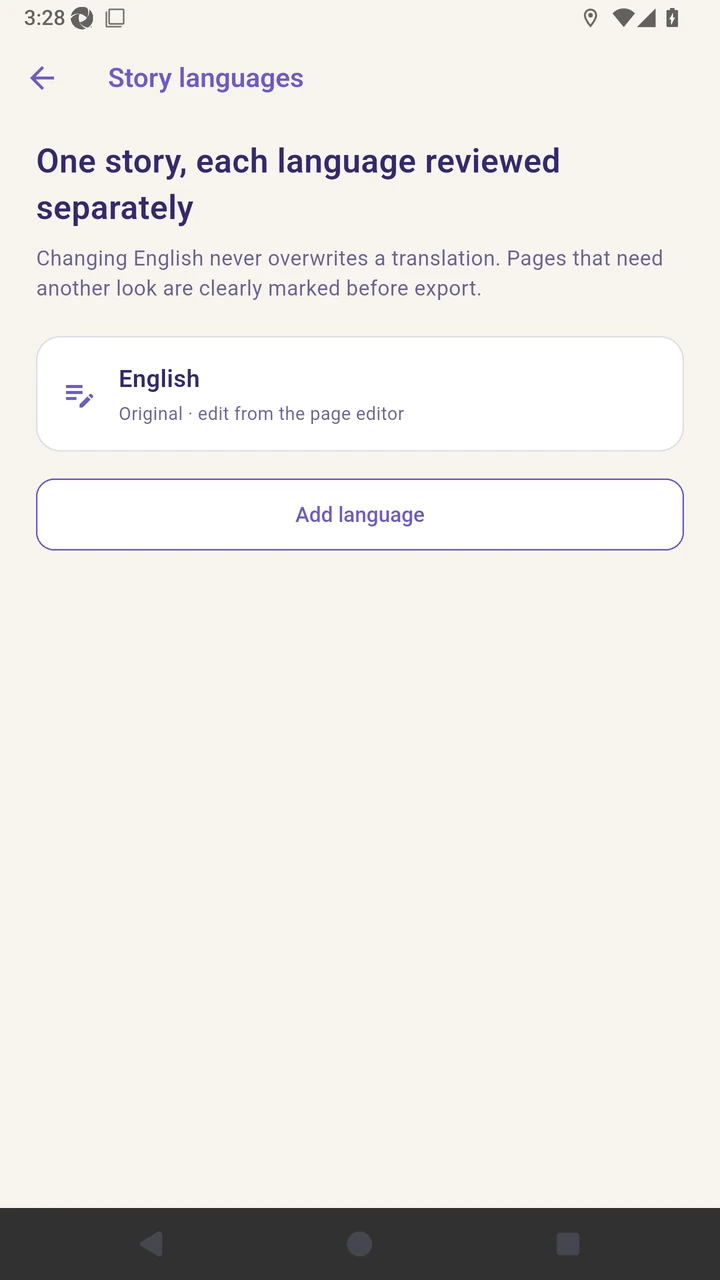
Open Story languages from Story Builder.
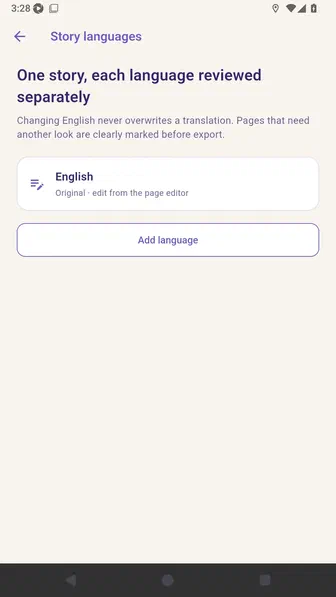
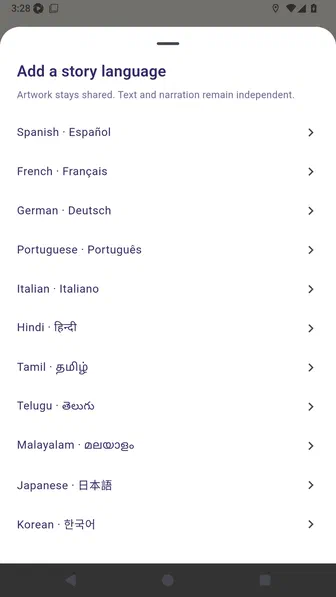
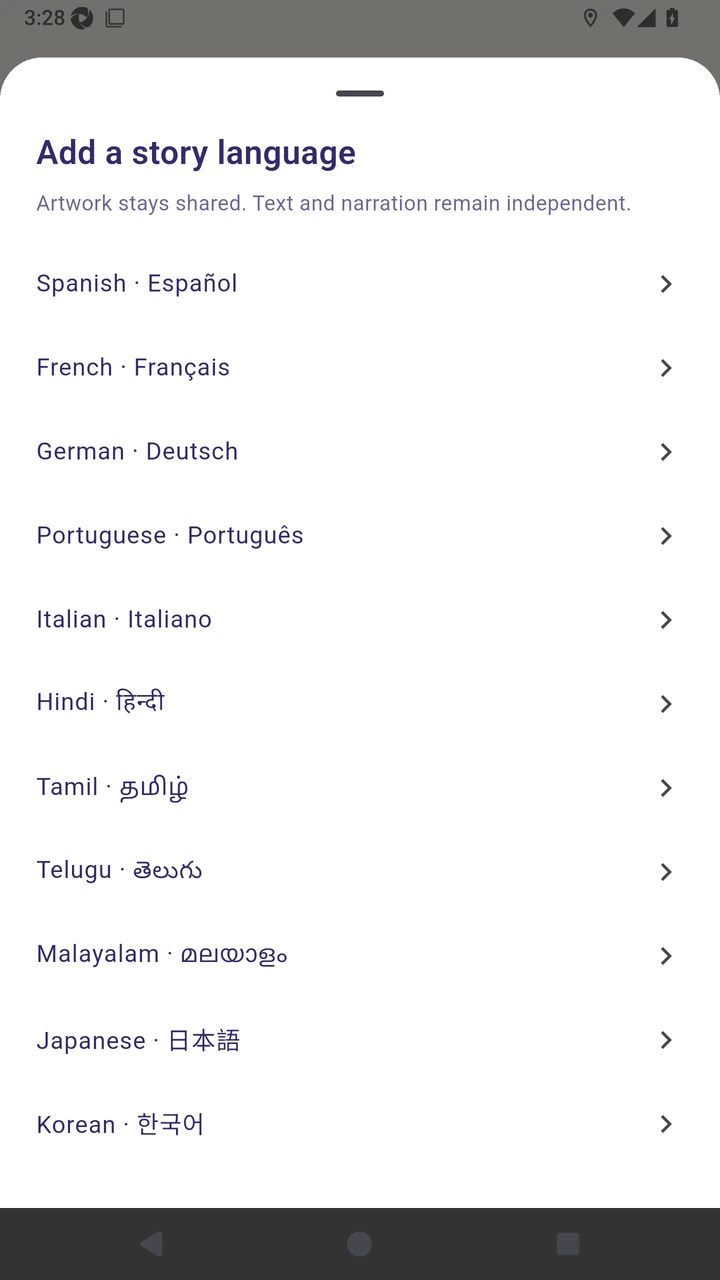
Choose Add language to see the supported languages.
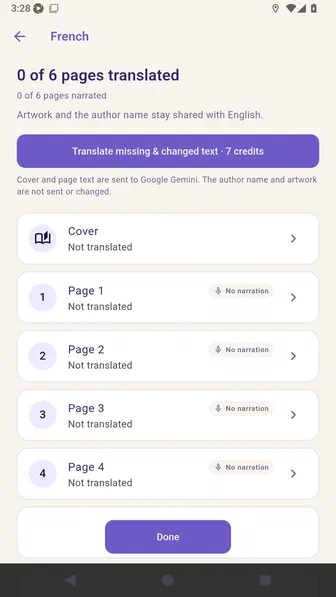
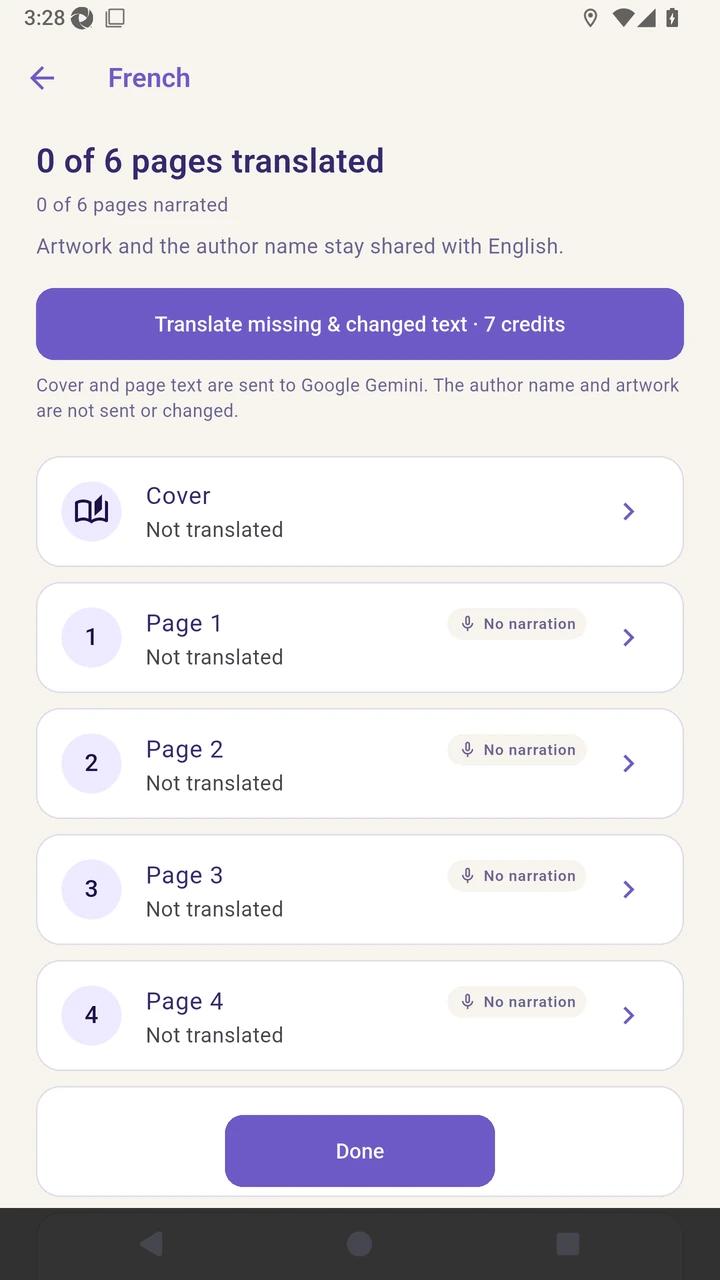
Add French and review the seven-credit quote for translating the cover and six pages.
Translate the cover and all six pages, then review the completed French text.
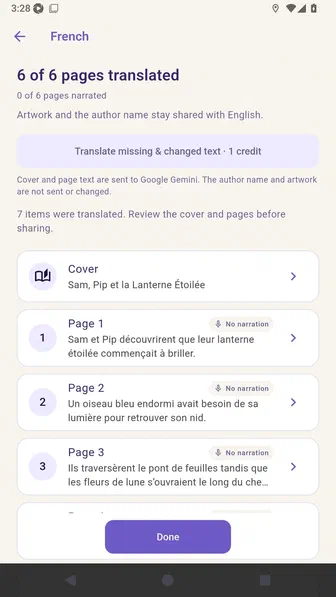
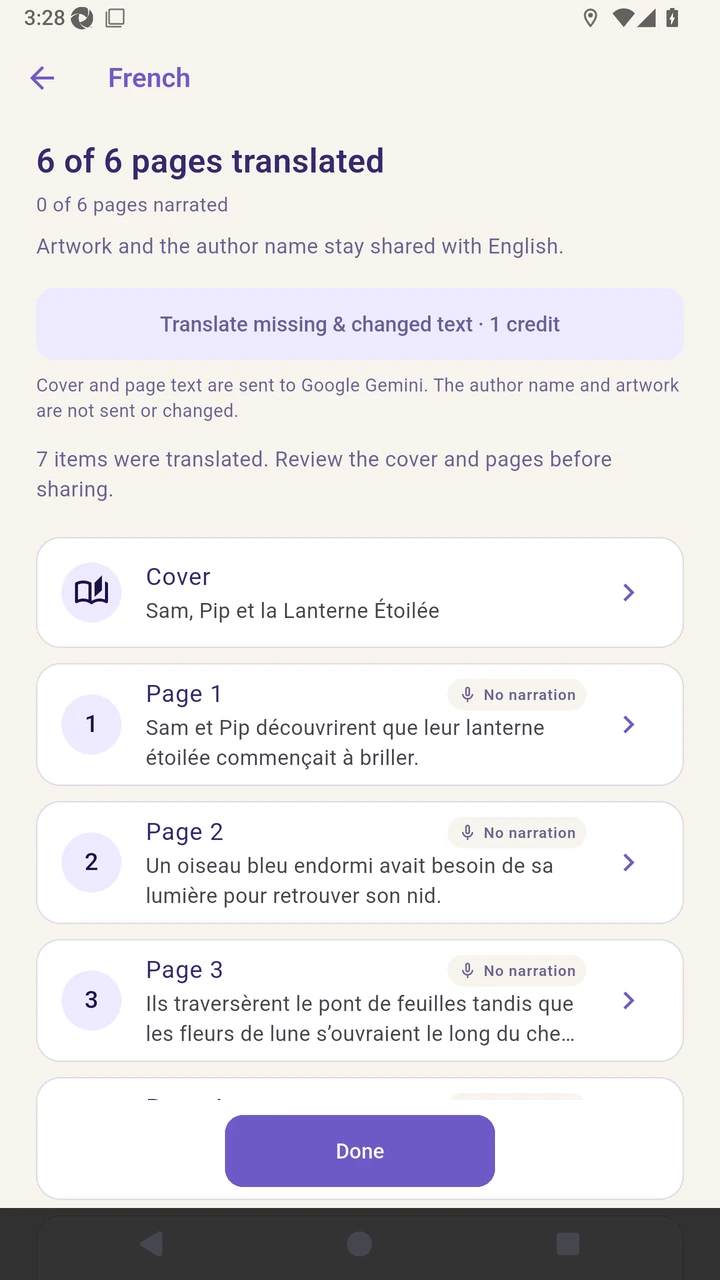
Result. The French cover and all six pages are translated and ready for review.
Read the narration transcript
Open Story languages from Story Builder. Choose Add language to see the supported languages. Add French and review its translation workspace. Translate the cover and all six pages, then review the completed French text.